Now in beta for iPhone and Android
Music that follows your route.
Beat Tracks is a running app where a course is a route with zones along it and every zone plays a song. Reach the next zone and the music moves with you. Runners build the courses, so the playlist fits the place.
Coming to the App Store and Google Play. Until then it ships through TestFlight on iPhone and Play internal testing on Android, by invitation: email us and say which phone you run with.
- 420courses built in
- 50states, plus DC
- 6vibes to run to
- 0accounts to create
Discover
Every course looks like its place
Hundreds of courses come built in, in cities across all fifty states, and runners add their own. Each one has a colour of its own, the shape of its route, the covers of its songs and a photo of the place behind it. Courses come grouped by city, near you or anywhere you search.
Near you
3 courses-
National Mall
Monuments Mile
EnergeticFun -
Green Lake Park
Green Lake Inner Loop
NewSteadyCalm -
Apple Park
Apple Park Perimeter
Focus
How it works
-
Find a course
Search by city, state or zip, or use your location. Every course shows its route, length, the songs on it and how other runners rated it.
-
Pick your vibe
A course can carry more than one theme, each a setlist for a vibe: energetic, steady, calm, focus, fun or nostalgic. Say how you want the run to feel and Beat Tracks picks the theme that fits, leaning on the genres you like.
-
Start your run
Tap Start and put the phone away. Beat Tracks follows you along the course, with the screen off or the phone in a pocket.
-
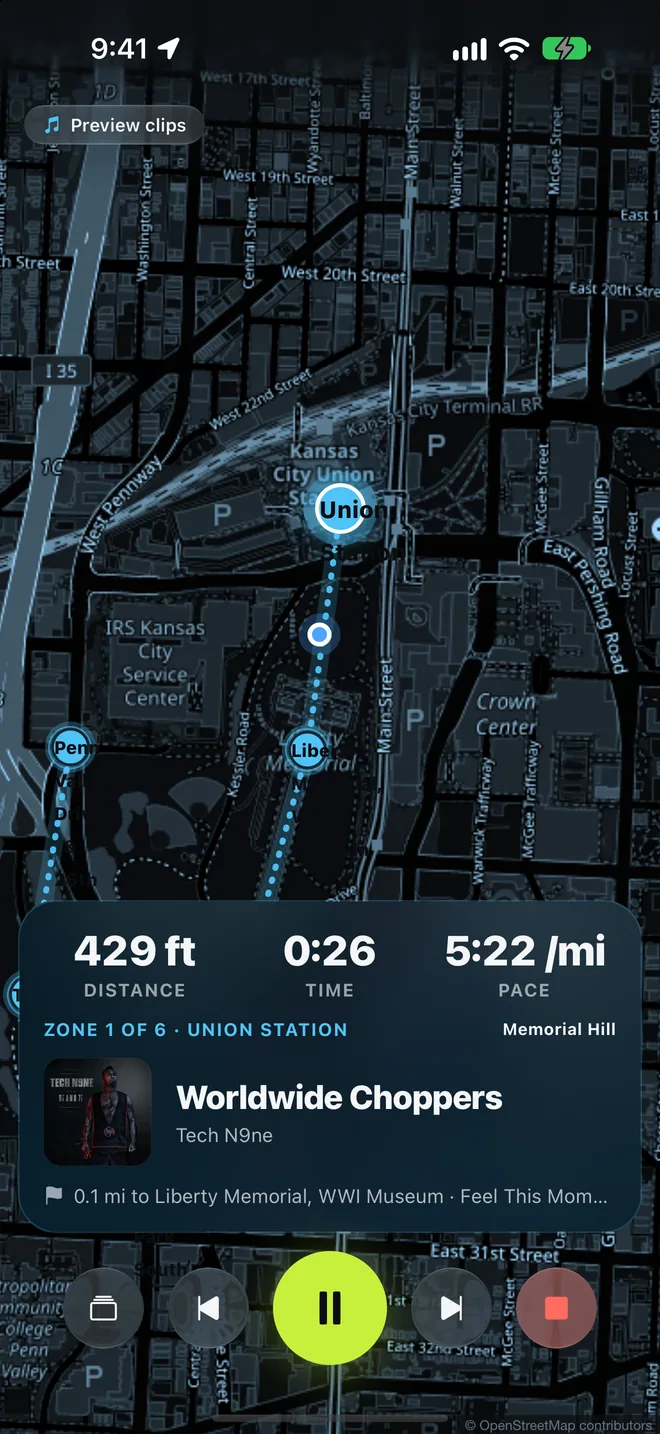
The music changes with the route
Each zone has its own song. Reach the zone and the song switches. Skip part of the route and the playlist jumps to where you are. Switch theme mid-run if the vibe is wrong.
Inside the app
From the first search to the saved run
-
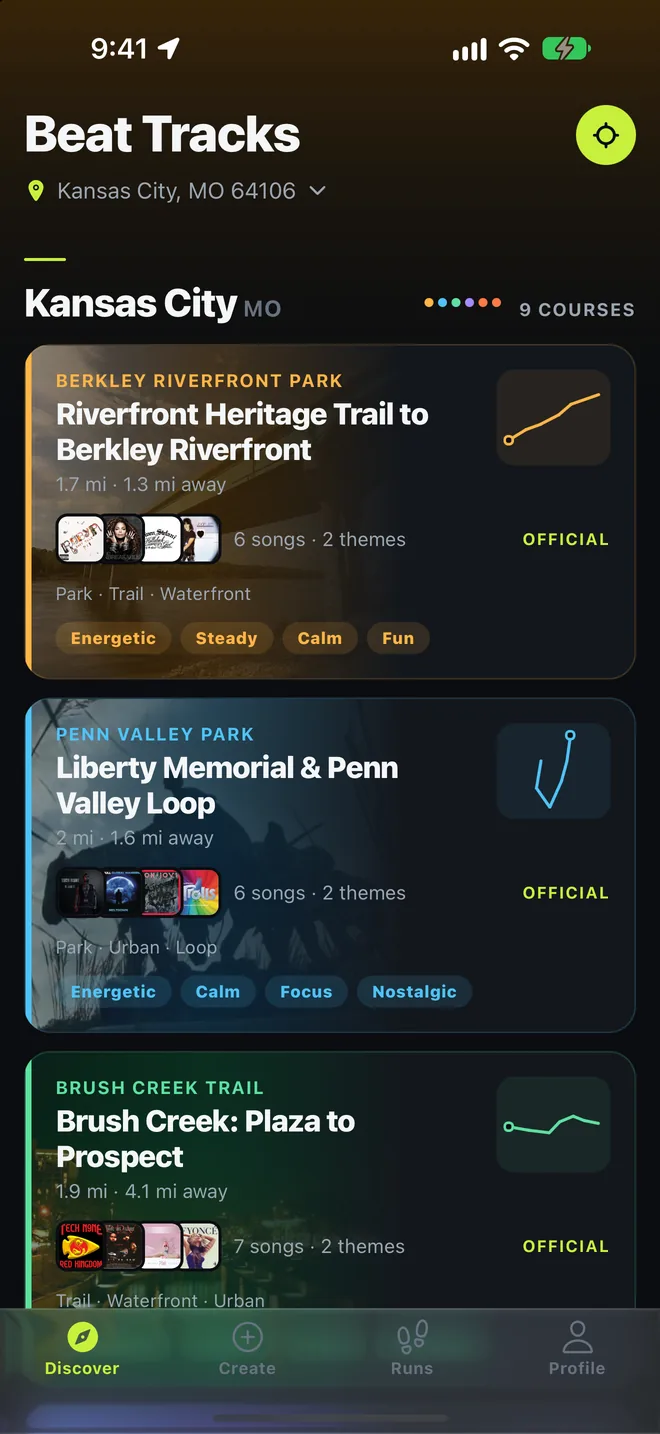
Find a course near you
Running routes with a setlist, in cities across the US.
-
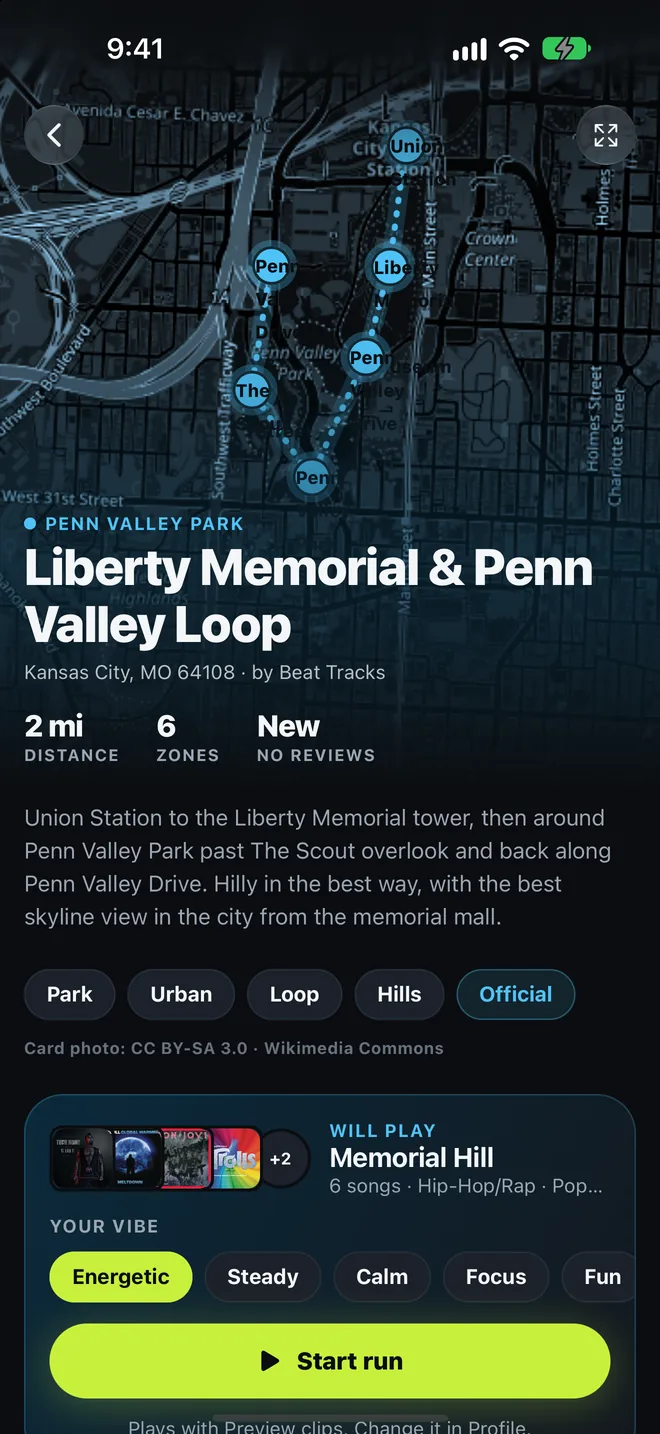
Every zone has a song
Pick the vibe you want. The theme that fits plays.
-
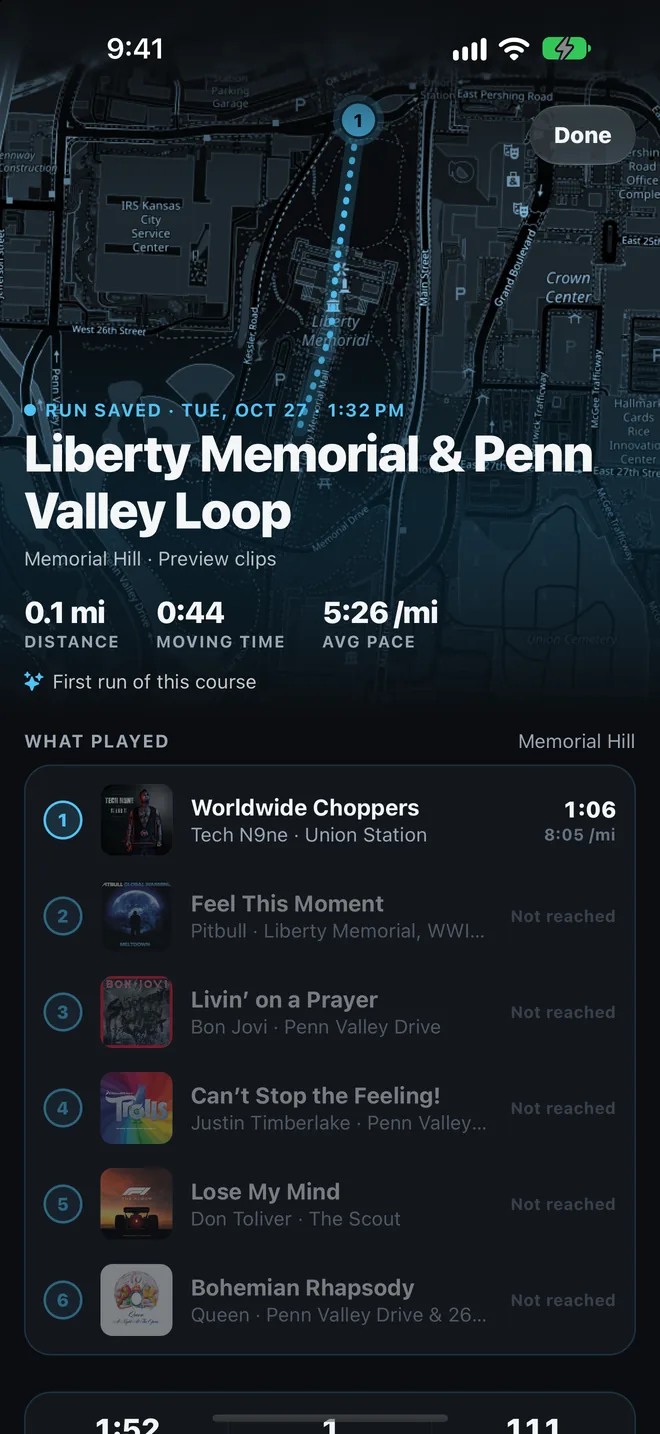
See what played
Distance, pace, laps and the songs behind each one.
-
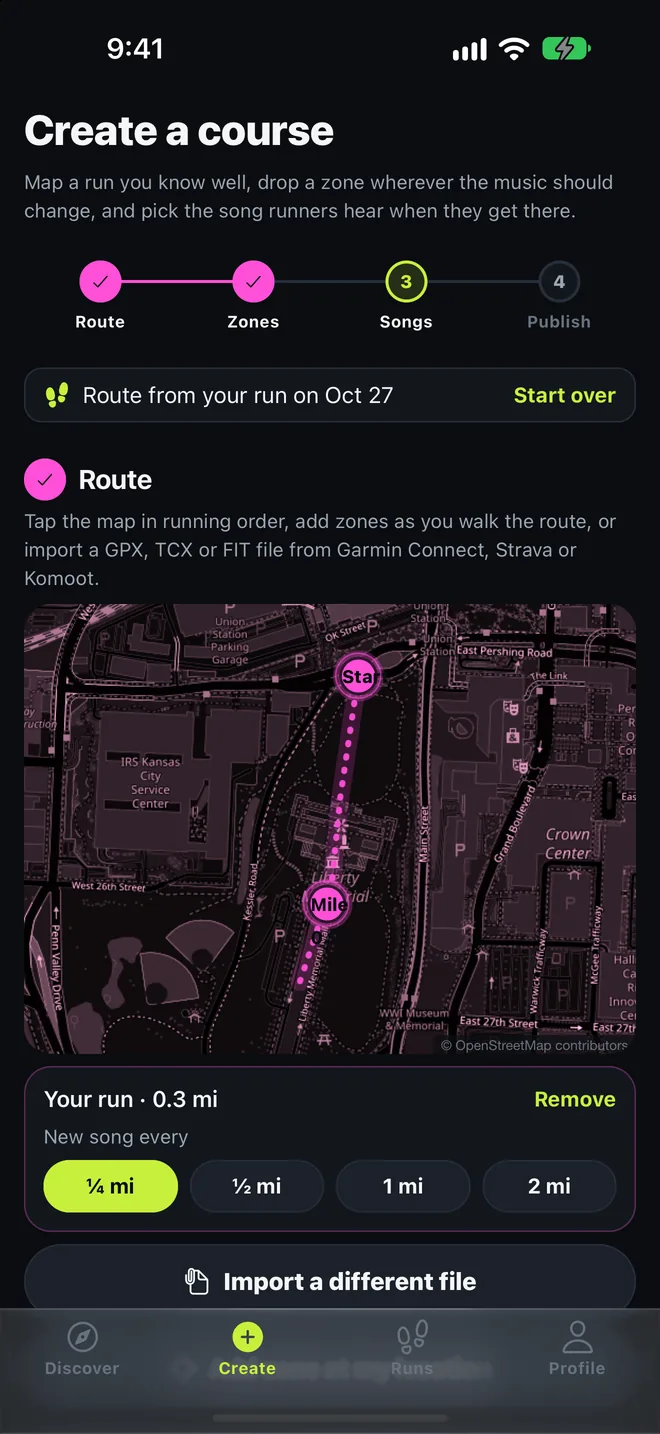
Turn a run into a course
Lay out zones, pick the songs, share it with the city.
-
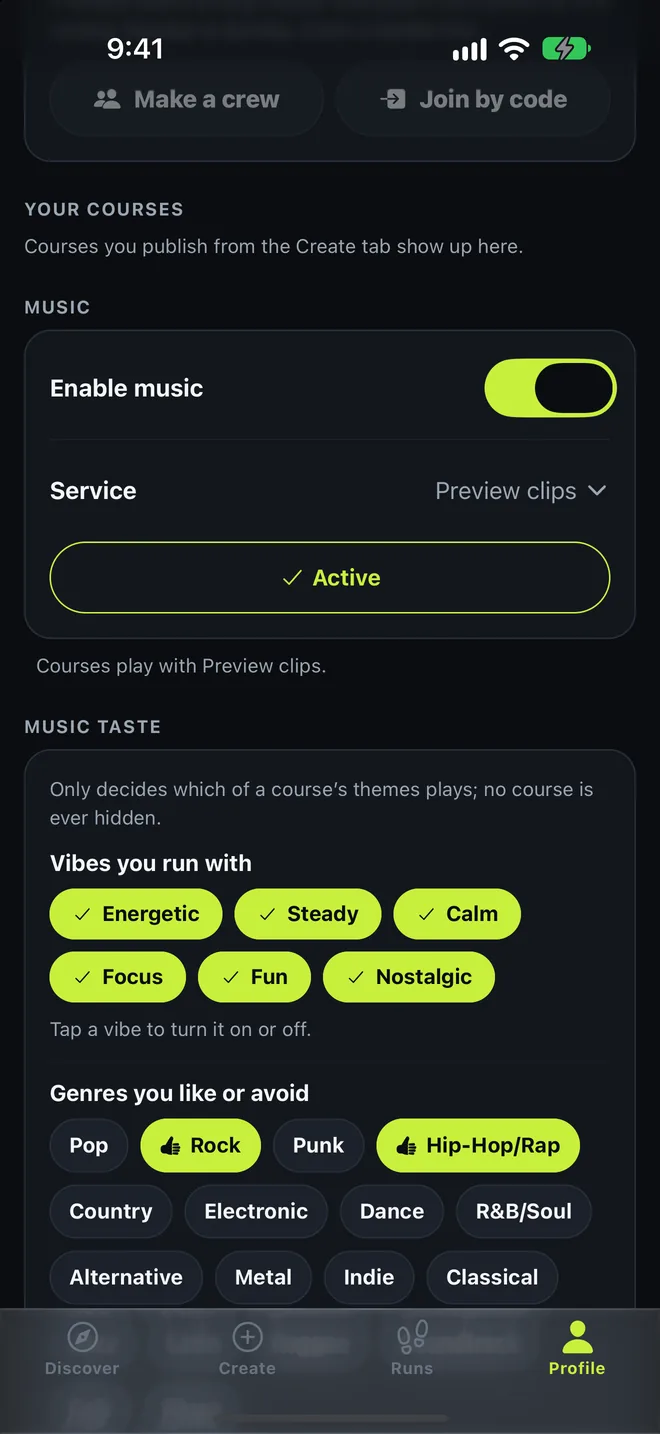
Your music, your taste
Spotify, Apple Music and more, or free previews.
Build a course from a run you know
A course is a route with zones along it and a song for each zone. Anyone can make one and share it with their city.
-
Route
Start from a run you saved, tap the map in running order, or import a GPX, TCX or FIT file from Garmin Connect, Strava or Komoot. Beat Tracks lays the zones along it.
-
Zones
Name each zone after what the runner sees there, so the setlist reads like the route.
-
Songs
Pick the song runners hear when they reach each zone. Add themes, each a setlist for a different vibe, and tag them so runners get the one that fits theirs.
-
Publish
Name the course, say where it is, and see its card as runners will, with a photo of the place. Then publish it for everyone nearby.
And after the run
The rest of the app
-
Runs stay with you
Every run is saved on your phone: route, distance, time, pace, laps and what played where. Export it as GPX or FIT, send it to Strava, or turn it into a course.
-
Crews
Claim a handle, start a crew with friends, and compare the week: distance, time, laps and fastest mile, Monday to Sunday. Crews see totals, never where you ran.
-
Apple Watch
Record a run from your wrist with GPS and heart rate, and follow a course with the zones cued on the watch while the phone stays in a pocket.
-
Garmin
A Connect IQ app shows the courses near you on the watch and records the run as a FIT activity that Beat Tracks imports.
-
Works offline
The courses for your state are kept on the phone, so Discover still shows them with no signal and a run never waits on the network.
-
Nothing to sign up for
No account to create. Publishing a course or joining a crew makes an anonymous account you can delete from the Profile tab at any time.
Rated and reviewed by runners
Every course shows a star rating and written reviews, so you can tell whether the songs land where they should before you run it.
“The song change at the top of the hill is exactly where you need it.”
Use the music you already have
Courses store songs by title and artist, so the same course plays on whichever service you use. The beta plays free preview clips; the services arrive build by build.
-
Preview clips
In the beta
No account needed. Plays a 30-second clip of each song, enough to try any course.
-
Spotify
After the beta
Sign in to Spotify inside the app. Premium plays every song; Free has Spotify’s limits.
-
Apple Music
After the beta
Sign in with your Apple Music subscription inside the app.
-
YouTube Music
After the beta
Plays with ads unless you sign in to a Premium account.
-
Amazon Music
After the beta
Sign in with your Amazon account inside the app.
-
Tidal
After the beta
Sign in with your Tidal subscription inside the app.
-
Qobuz
After the beta
Sign in with your Qobuz subscription inside the app.
-
Deezer
After the beta
Sign in with your Deezer account inside the app.
Questions
Can I get Beat Tracks now?
Yes, as a beta tester. Email trackx@apphaus.us and say whether you run with an iPhone or an Android phone; you get a TestFlight or Play invitation back. The App Store and Google Play releases follow the beta.
What does Beat Tracks do with my location?
To list courses near you, the app sends the area you are browsing to the Beat Tracks server, which answers and keeps nothing. During a run, your location is used on your phone to decide when to change the song, and the run is saved on your phone. The privacy policy has the whole of it.
Do I need an account?
No sign-up. The first time you publish a course, write a review or join a crew, the app creates an anonymous account so your courses stay yours. Browsing and running need no account, and you can delete the account from the Profile tab.
Does the music keep switching with the screen off?
Yes. The first time you start a course run the app asks to use your location in the background, and that is what lets the songs change with the phone locked or in a pocket. Without it, keep the screen on during the run.
What happens if I leave the course?
The music keeps playing. When you enter another zone, the playlist moves to that zone's song, wherever it is on the course.
Does it work on a watch?
On Apple Watch, yes: the watch app installs with the phone app, records the run with GPS and heart rate, and cues the zones on its own. Garmin watches get a separate Connect IQ app that shows courses and records a run Beat Tracks can import.